
Most CRM advice is written for 20-person sales teams. The 2-person business has different problems and needs roughly 10% of the features.
I build and customize CRM software for a living, and I run my own agency with a tiny team. When I left my engineering job in December 2023 I was making $3K/mo. Within a year I was at $15K/mo, and for most of that I was running things solo with one subcontractor. So the "CRM stack" I actually used was nothing like what the SaaS landing pages tell you to buy.
Here's what actually mattered.
What 2-person teams don't need (and shouldn't pay for)
If there are two of you, you do not need:
- Lead scoring. You can read the email yourself in 4 seconds.
- Territory management. Your territory is wherever the wifi reaches.
- Multi-stage approval workflows. You are the approval.
- A sales forecasting module. You know what's in the pipeline because you talked to the human on Tuesday.
- Role-based permissions. There are two roles: you and the other you.
- Custom dashboards for "executives." There are no executives. There's just Brad in the other room eating a granola bar.
The reason this stuff exists is that big CRMs were designed to solve coordination problems. When you have 2 people, coordination is a text message. When you pay $99/user/mo for a CRM built for 50-person teams, you are subsidizing features you will actively get in the way of using.
Hot take: most 2-person businesses would be FARRR better off with a slightly-customized spreadsheet for the first 6 months than they would be with HubSpot's free tier. The free tier is the on-ramp to upsells, and it teaches you bad habits because the workflows assume someone behind you handing off the lead.
The 6 fields that matter
When I set up a CRM for a small team (mine or a client's) I start with 6 fields. That's it. You can add more later when you have a real reason.
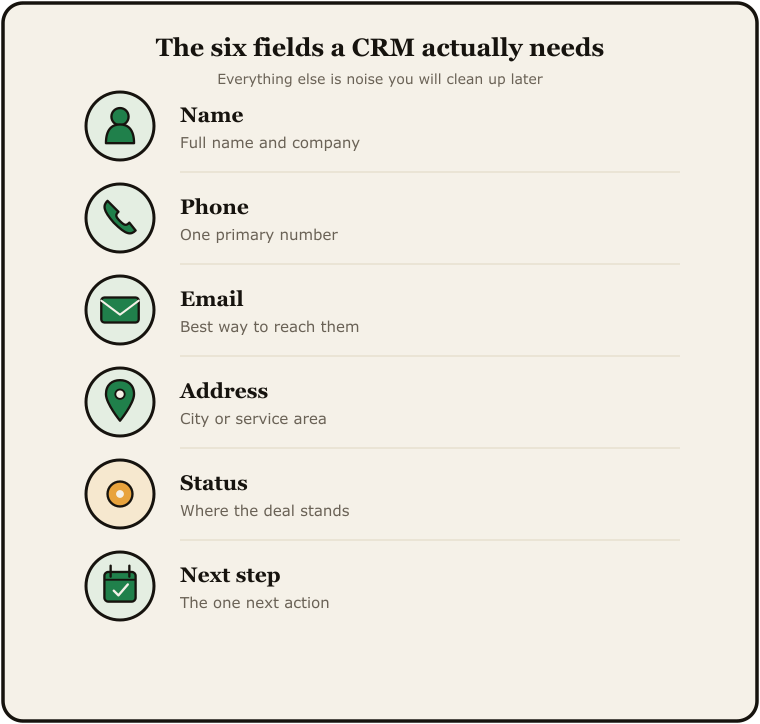
- Name. First and last in one field is fine for a 2-person op. You're not running a mail merge to 40,000 contacts.
- Phone. The one they actually answer. Not work-cell-home-fax.
- Email. One. The good one.
- Source. Where did this lead come from. Referral, Google, Facebook, walk-in, repeat. Five values max. If you can't pick a source you're overthinking it.
- Stage. New, Quoted, Booked, Won, Lost. That's the whole pipeline. You don't need "Nurturing - Long-term" until you have someone whose job is nurturing.
- Next action + date. This is the one nobody adds and it's the one that prints money. What's the next thing I owe this person, and when am I supposed to do it.
That's it. Address, project notes, photos, attachments... that stuff lives in the deal/job record, not the contact record. Don't confuse the two.
The 3 workflows that matter
Workflows are the part where most 2-person teams either over-engineer or skip entirely. Both are bad. The middle is these three.
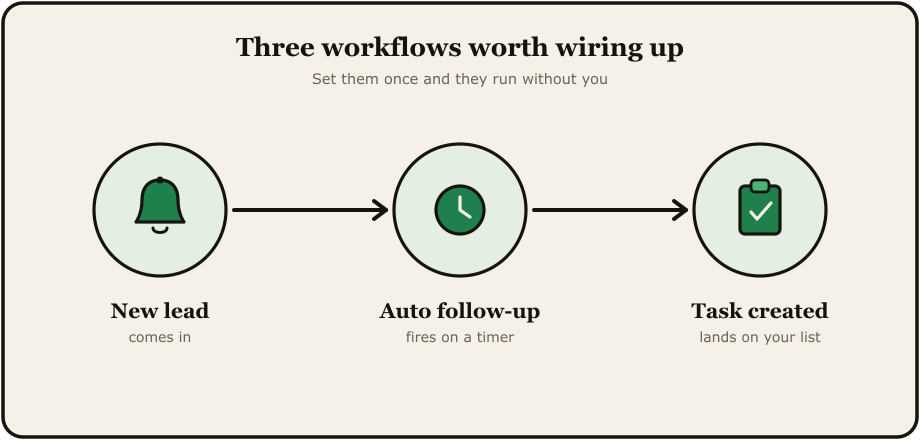
Workflow 1: New lead alert. When a form fills, a call comes in, or someone DMs the page, both people on the team get a notification within 60 seconds. Email and text. Not just email.
Why both. I had a client last year who went from 3-5 form fills/day to ZERO overnight. Took us a minute to figure out what happened. A Microsoft Outlook update silently rerouted his form notification emails into the void. 49 form fills vanished before anyone noticed. If we'd had a text fallback, we'd have caught it on day one instead of week two.
Redundant notifications are not paranoia. They're business continuity.
Workflow 2: Follow-up reminder. If a lead has been in "Quoted" stage for more than 3 days with no activity, the system pings the person responsible. That's it. Not a 14-touch sequence. Just one nudge so the human remembers to be a human.
Workflow 3: Won-deal handoff. When a deal moves to "Won," it triggers two things. A thank-you message to the client (templated, sent by the human, not auto-fired). And a checklist of onboarding tasks for the team. For a 2-person op the checklist might be 5 items. Doesn't matter. The point is it never gets forgotten because somebody got busy.
Three workflows. If you can run those three reliably, you're already ahead of 80% of small businesses I audit.
Tools that fit (3 specific recs)
Here's what I'd actually pick for a 2-person team in 2026, depending on budget and tolerance for fiddling.
Option A: Google Sheets + Zapier. Yes, really. A well-structured sheet with the 6 fields, a Zap that pushes form submissions in automatically, and a second Zap that texts you when a row gets added. Setup time: an afternoon. Monthly cost: $20-30 for Zapier. Ceiling: maybe 200 leads/mo before it starts feeling slow.
Option B: GoHighLevel. I'm a certified GHL admin so I'm biased. It's overkill for a 2-person team out of the box, but if you can find a snapshot built for small operators (not the agency-scale ones) it's solid. Around $97-297/mo depending on plan. The win is texting, email, pipelines, and a phone number all in one place. The loss is the learning curve.
Option C: A simple self-hosted CRM. This is the option nobody talks about because there's no affiliate commission. If you're technical enough to host a Next.js app or have someone who is, you can run your own CRM for the cost of a $20/mo server and zero per-seat fees forever. That's the route I went when I got tired of the subscription treadmill.
The custom/self-hosted option
I'll be honest about my own bias here. I spent most of 2026 building Seedly CRM specifically because I got tired of paying per-seat pricing for software I wasn't fully using. 800+ hours into a Next.js + Convex codebase that I now own outright.
For a 2-person team this matters less than it does for a 10-person team, because the per-seat math doesn't hurt as much yet. But if you're the kind of operator who plans to be in business for 10+ years, paying $200-500/mo forever for a tool you could own for a one-time fee starts to look insane around year three.
The tradeoff is real though. You need to host it. You need to update it. If something breaks at 2am, that's on you. For most 2-person teams, the SaaS tax is worth the convenience. For the ones with a technical co-founder or a strong opinion about owning their stack, self-hosting is the move.
A two-person CRM doesn't need to be impressive. It needs to make sure no lead falls through the cracks and no client gets forgotten on a Tuesday. That's the whole job.
If you're sorting through this for your own setup, I wrote a longer breakdown of the build-vs-buy math for a small CRM, and I ran the full five-year cost numbers separately if you want the dollars. Running this for your own 2-person team? My email's in my bio.
Comments
Post a Comment